Ragdoll Boxing 3D Controls
PC, controller, and mobile inputs — then drills that stick.
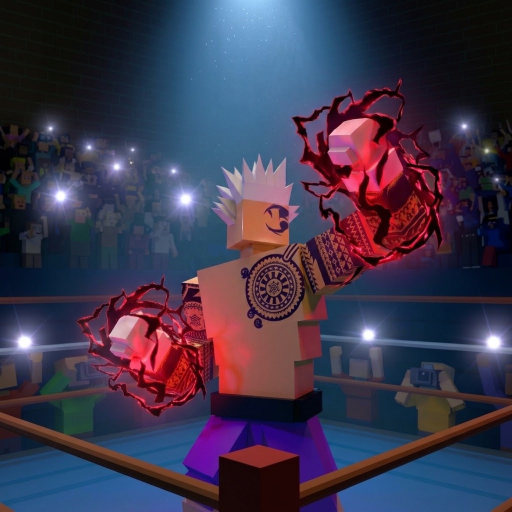
Ragdoll Boxing 3D controls are physics-first. The developer publishes platform bindings on the Roblox description; this page expands them into a practical reference and a practice plan. Because punches are not canned animations, late inputs and panic mashing create awkward swings you cannot cancel. Learn the map once, then train short sequences until defense is automatic. Pair this page with Getting Started, How to Play, and Combat Tips.
These bindings are for Ragdoll Boxing 3D by Ragdoll Boxing Studios. They are not the control scheme for the separate Ragdoll Boxing game. If a guide tells you to block with Space or aim body shots with Shift in a different layout, you are reading the wrong title.
PC controls
| Action | Input |
|---|---|
| Move | WASD |
| Punch | Arrow keys or mouse |
| Block | F |
| Weave | Q / E |
| Lean back | Shift |
On PC, keep your movement hand on WASD and your combat hand ready for punches plus F, Q, E, and Shift. Practice moving while you block so you do not plant your feet every time you press F. Weave with Q and E to slip outside lines; use Shift to lean back when a straight is coming down the middle. After a successful weave or lean, fire a short counter — do not celebrate and stand still.
Mouse punching helps when you want camera-oriented aim; arrow punching helps when you want discrete directional taps. Try both in a bot spar and keep the method that lands cleaner head shots for you. Head shots hit hardest, so camera discipline matters as much as the key itself.
Controller controls
| Action | Input |
|---|---|
| Hooks | L2 / R2 |
| Uppercut | R1 |
| Overhand | L1 |
| Block | B |
| Weave | Y / A |
| Lean back | X |
Controller players get explicit attack types on the shoulders: hooks on the triggers, uppercut on R1, overhand on L1. Defense sits on the face buttons — B to block, Y and A to weave, X to lean back. Confirm stick and camera feel in a bot spar; label prompts can vary slightly by device, so trust the in-game tutorial if a glyph differs. Build a rhythm of move, defend, then shoulder-button punish rather than holding triggers forever.
Mobile controls
Mobile supports punch buttons or swipes. Open Settings to move or hide buttons until your thumbs can reach attack and defense without covering the ring. A cluttered HUD causes late blocks. After you settle a layout, do not change it every match — consistency builds muscle memory. If swipe punching feels unreliable, switch to buttons for Ranked until your accuracy stabilizes.
New mobile players should still press TUTORIAL on the home screen. The tutorial teaches timing in context better than reading alone. When you join a fight, use the square beside the boxing ring the same way PC and controller players do; a bot fills empty matches so you can drill without waiting.
Practice drills (10–15 minutes)
Use bot spars or Story Mode rounds as a training gym. Complete these drills before Ranked sessions.
- Footwork box (2 minutes): Move with WASD or the left stick only. Circle, step in, step out. No punches. Goal: smooth direction changes without spinning the camera wildly.
- Block hold (2 minutes): Invite punches and hold block (F / B). Survive without panicking into a blind flurry.
- Weave lane (3 minutes): Slip with Q/E or Y/A against incoming shots, then reset stance. Count clean weaves, not punches thrown.
- Lean and counter (3 minutes): Lean back (Shift / X) on straights, then throw two punches max and reset.
- Burst discipline (3–5 minutes): Throw two to four punches, stop, defend, repeat. This matches the combat habit expanded on Combat Tips.
Record what fails. If you get hit after every miss, you are not resetting. If hooks land but head shots miss, slow down and aim. If stamina collapses mid-round, shorten bursts further.
Defense priorities
Winning still requires three knockdowns, but defense creates the openings. Priority order for beginners:
- Block when you cannot read the shot.
- Weave when you see a wide hook line.
- Lean back when a straight threatens your head.
- Counter only after the defensive move succeeds.
Clean head shots hit hardest on offense, which means your own head is the priority target on defense. Do not lower your guard to spam body shots while an opponent is loaded. Review How to Play for the full win loop and Ranked Mode before you stake a climb on rusty inputs.
Builds and inputs
Tall builds with long wingspans change the spacing where punches connect; heavy or shorter setups change how quickly you want to close. Controls stay the same, but the timing window shifts. After a Best Builds spin, repeat the lean-and-counter drill so your new reach does not outpace your defense. Check the tier list only after your inputs are stable — a high-tier idea cannot save missed blocks.
Troubleshooting
- Punches feel floaty: you are likely late or off-angle; reset camera and throw shorter bursts.
- Block does nothing visible: confirm F on PC or B on controller; on mobile, ensure the block control is not hidden under another button.
- Wrong keys from memory: you may be recalling Ragdoll Boxing, not Ragdoll Boxing 3D — re-read the tables above.
- Mobile mis-taps: simplify the layout in Settings and hide unused buttons.
Keep this page with the rest of the wiki
Return to the Guides Hub for the full curriculum. Redeem progression boosts from Codes when active, track Season 1 changes on Updates, and skim Players if you are learning Story Mode fighter patterns. Controls mastery is the multiplier for every other guide on this site. Revisit the five drills whenever a patch on Updates changes feel, after you spin a new build, or when Ranked losses stack from missed weaves rather than bad matchups. Ten focused minutes on inputs beat an hour of tilted rematches. When you can block, weave, lean, and counter without looking down at your hands, move deeper into Combat Tips and start a measured Ranked Mode climb.
Frequently Asked Questions
Quick answers about codes, builds, and combat.
What are the PC controls for Ragdoll Boxing 3D?
WASD to move, arrows or mouse to punch, F to block, Q and E to weave, and Shift to lean back.
What are the controller bindings?
L2/R2 hooks, R1 uppercut, L1 overhand, B block, Y/A weave, and X lean back. Confirm glyphs in the tutorial if your device differs.
Can I customize mobile controls?
Yes. Use punch buttons or swipes, and move or hide buttons in Settings until the layout fits your thumbs.
How should I practice controls efficiently?
Spar bots from the ring square and run short drills: footwork, block, weave, lean-and-counter, then two-to-four punch bursts.
Do these controls work in Ragdoll Boxing?
No. Ragdoll Boxing is a different game with different bindings. Use only the Ragdoll Boxing 3D tables on this page.