CM Hub for Ragdoll Boxing 3D
Feature breakdown, loadstring, key system flow, and ban-aware testing order on an alt.
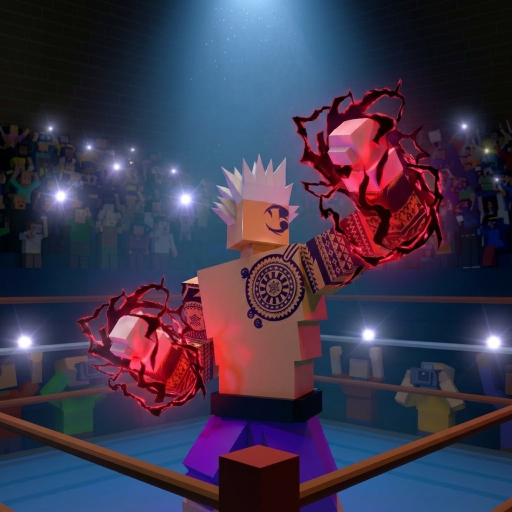
CM Hub is a community script bundle players run in Ragdoll Boxing 3D to automate stamina, punching, guarding, queueing, and reward claims. It is unofficial, often gated behind a key system, and carries a real ban risk. This page documents the circulated feature list and a cautious usage order so you understand what each toggle does — not so you nuke a main account chasing Champion belt XP.
Read the parent Scripts Hub first. Redeem free codes and learn controls in Getting Started before you ever attach an executor.
Hard disclaimer
- Scripts can violate Roblox Terms of Use.
- Detection is unpredictable; bans can be delayed.
- Use a throwaway alt with nothing valuable.
- Do not enable Auto Ranked Queue on an account you care about.
- Remote loadstrings can be swapped by attackers — re-check the URL path yourself every session.
- We do not provide executor installs, cracked keys, or support for ban appeals.
Loadstring
loadstring((request or http_request)({Url="https://cmhub-key-system.cmhub.workers.dev/l.lua"}).Body)()Run order
- Launch Ragdoll Boxing 3D Season 1 on the alt (official placeId
96740842890477). - Wait until the lobby fully loads — do not inject during the initial teleport.
- Attach your executor, paste the loadstring, execute once.
- Complete the key system window (get / paste key as the GUI instructs).
- When the CM Hub panel appears, leave every combat toggle off.
- Enable one feature, test for 30–60 seconds, then add the next.
If request / http_request is blocked by your executor, the loadstring will error. That is an executor limitation, not a reason to download shady HTTP polyfills.
Feature breakdown
Infinite Stamina
Keeps stamina from gating punches and movement while you test. Useful for learning whether your Season 1 spin build (height, wingspan, weight up to 7’0”) actually lands clean head shots without fatigue noise. Turn this on first when sandboxing — it is the least “decision-making” assist and easiest to notice if the script broke after a patch.
Smart Auto Punch
Assists punch selection / timing instead of pure button mashing. Still respect the real kit: PC arrows or mouse punches, controller L2/R2 hooks, R1 uppercut, L1 overhand, and mobile punch buttons or swipes. Smart Auto Punch can look obvious to opponents in Ranked; expect reports.
Auto Fight
Fuller offense loop against passive targets. In a 16-player server this paints a large detection / report surface. Prefer empty or low-stakes servers if you insist on testing. Auto Fight will not magically create three knockdowns against players who weave (Q/E or Y/A) and block (F or B) well.
Auto Guard
Automates defensive holds approximating block / guard timing. Pairing Auto Guard with Auto Fight creates the classic “bot” pattern other players recognize instantly. For learning real defense, practice manual F block, weaves, and Shift / X lean back instead.
Auto Ranked Queue
Queues Ranked with less UI clicking. This is the highest-stakes toggle: Ranked runs Bronze→Champion belts and is where bans hurt most. Leave it off unless you accept losing the alt entirely.
ESP
Draws highlights / information on other fighters through visual clutter. Helpful for reading 2v2 tag team swaps or lobby crowds, blatantly unfair in serious fights, and a common anti-cheat focus. Disable ESP when recording clips you might post.
Auto Claim rewards
Claims idle Season Pass / daily / Level Road style rewards when the script detects claimables. Convenience feature — still no excuse to run the whole hub on a main. Official codes remain the safer free currency path (UPDATE_2 Cash, Lucky Spins, and friends).
Key system and mobile-friendly UI
CM Hub typically unlocks after a key prompt. Mobile-friendly layouts help touch executors, but phone play already has Settings options to move or hide punch / move buttons — get that comfortable without scripts first.
Suggested test plan (alt only)
- Infinite Stamina only — throw manual combos, confirm head-shot damage feel.
- Add Smart Auto Punch in a casual or empty ring.
- Toggle ESP briefly to verify overlays, then disable.
- Skip Auto Fight / Auto Guard / Auto Ranked Queue unless you are explicitly stress-testing detection on a disposable account.
- Use Auto Claim once in lobby, then turn the script off and play normally.
Document what broke after each updates patch. Script authors often lag behind physics or UI changes in Season 1 Story Mode and Ranked.
What to do instead of scripting
- Redeem the live list on the Codes Hub and follow How to Redeem.
- Spin a deliberate build; spend Lucky Spins with the tier list in mind.
- Learn knockdown rules (three downs) and head-shot priority with clean inputs.
- Progress Story Mode’s island tournament (24 fighters, one crown), 2v2 tag team, daily quests, Level Road, and Season Pass cosmetics (KO effects, glove trails, emotes, tattoos, hair) without risking the account.
Related pages
- Scripts Hub — executor safety overview and loadstring mirror
- Codes Hub — free Spins and Cash
- Getting Started — legitimate onboarding
- Tier list — build priorities after you close the executor
CM Hub can look powerful in a trailer clip. On a main account chasing Champion or the Story crown, it is a short road to a ban. Keep it sandboxed — or skip it and play the physics boxing game as designed.
Frequently Asked Questions
Quick answers about codes, builds, and combat.
Is CM Hub free to use?
The loadstring is publicly circulated, but a key system usually gates the GUI. Keys, links, and requirements change — treat anything asking for your main password or Robux as a scam.
Which CM Hub feature should I enable first?
On an alt, start with Infinite Stamina only. Confirm the script loaded, then optionally add Smart Auto Punch. Leave Auto Ranked Queue off if you care about that account.
Can CM Hub ban my Roblox account?
Yes. Any executor script can. Delayed bans happen. Use a disposable alt and never appeal with “I didn’t know.”
Does ESP work in 2v2 tag team?
Players report ESP highlights fighters through clutter, including busy tag-team rounds, but it is unfair and increases report risk. Disable it for serious play.
The loadstring errors — what now?
Your executor may lack request/http_request, the key URL may be down, or the game patched. Stop, do not install random fixes, and fall back to codes plus manual practice.